I've been playing with the animation app called Doink and combining it with green screen FX in iMovie. Below is a short video showing a layered animation over still images.
There are SO many possibilities for this technique.
There are SO many possibilities for this technique.
I created this tutorial showing the iPad steps for making an animation in Doink, the steps I went through to use that animation as a video layer in iMovie over still images and video. See below or at this link.
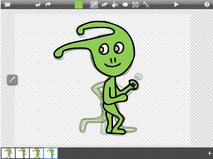
View my other post/tutorial called, The Aliens Have Landed, about how to make aliens run using Doink.
You can view my students' video all strung together in iMovie at the link above as well.
You can view my students' video all strung together in iMovie at the link above as well.
You may be interested in viewing my post that shares some tricks for using green screen with animation created in Keynote.
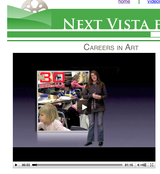
These tutorials show how to create our award winning Fugleflick, Careers in Art. This video was selected as the best student video of 2011 in the NextVista.org student contests.
These tutorials show how to create our award winning Fugleflick, Careers in Art. This video was selected as the best student video of 2011 in the NextVista.org student contests.
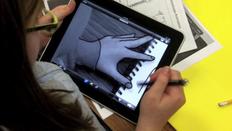
You may also be interested in trying Rotoscoping on the iPads.
This is the technique that helped us put STEAM in the McGraw-Hill Stemie Awards and $5000 in our school's bank account!
This is the technique that helped us put STEAM in the McGraw-Hill Stemie Awards and $5000 in our school's bank account!
View a bunch more ideas for Creating on iPads on my page dedicated to this topic here.
UPDATE: Carol shared her green screen + Doink animation with me below:
UPDATE: Carol shared her green screen + Doink animation with me below:
@fuglefun @doinktweets Here is my attempt at talking about transliteracy. youtube.com/watch?v=Wsy-pq… using doink app and GarageBand
—Carol Broos (@musictechie) November 26, 2012











 RSS Feed


